
Publish now or pick a time
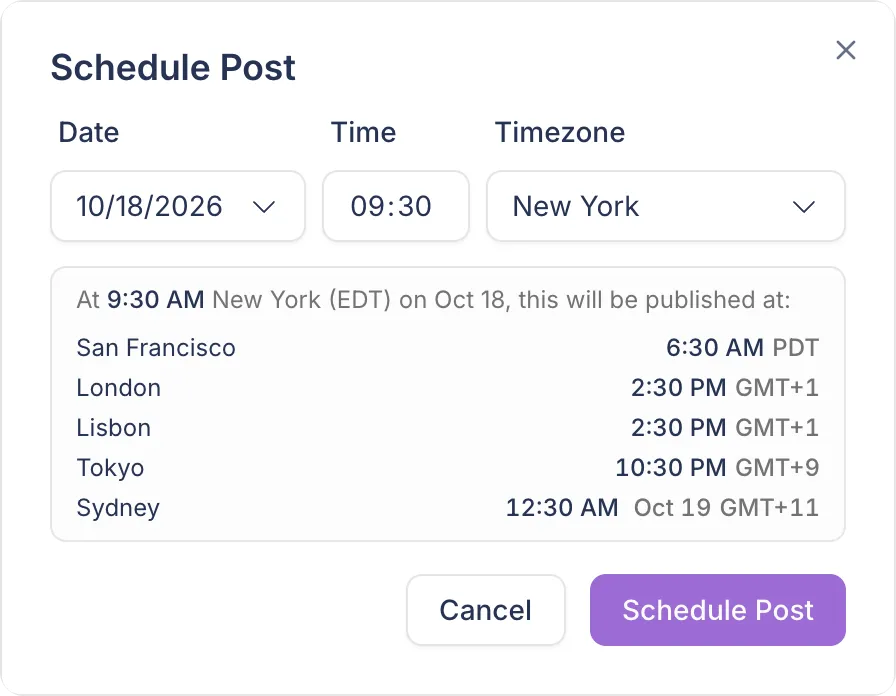
Every post can go out now or at a date and time you choose, in your browser's timezone or one you set, and the dialog shows that time in other cities.
Scheduling
Schedule posts to LinkedIn and X from the editor, see them on a calendar and drag them to a new time. Postopus publishes at the time you set and posts your first comment right after.
7-day trial · No credit card required
Every post can go out now or at a date and time you choose, in your browser's timezone or one you set, and the dialog shows that time in other cities.
Set time slots for each platform across the week. Add to queue puts a post in the next free slot, so you do not choose a time for every post.
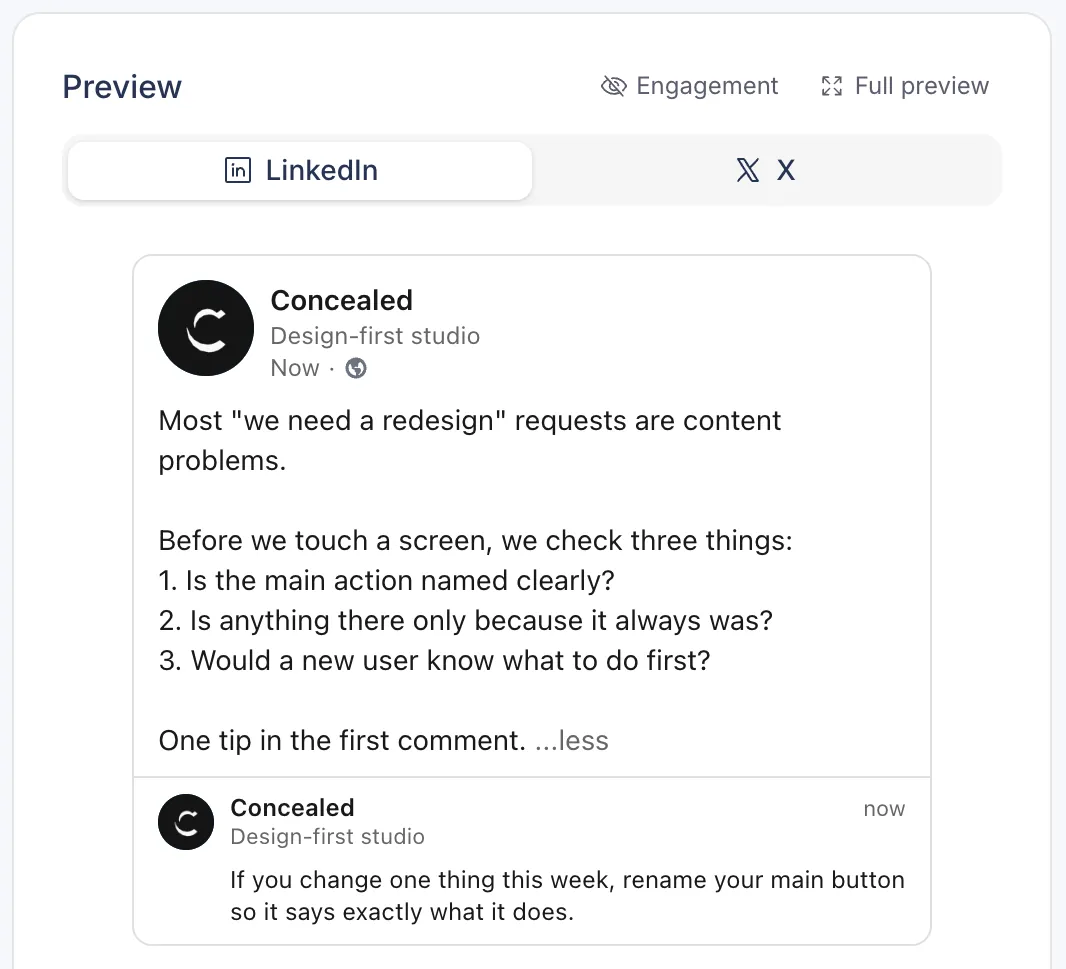
Write a first comment with the post. Postopus posts it right after the post goes live, as a comment on LinkedIn and as a reply on X. Save comments you reuse as templates.
Repost your own post after a delay you choose. On LinkedIn you can add new commentary; on X it is a plain repost.
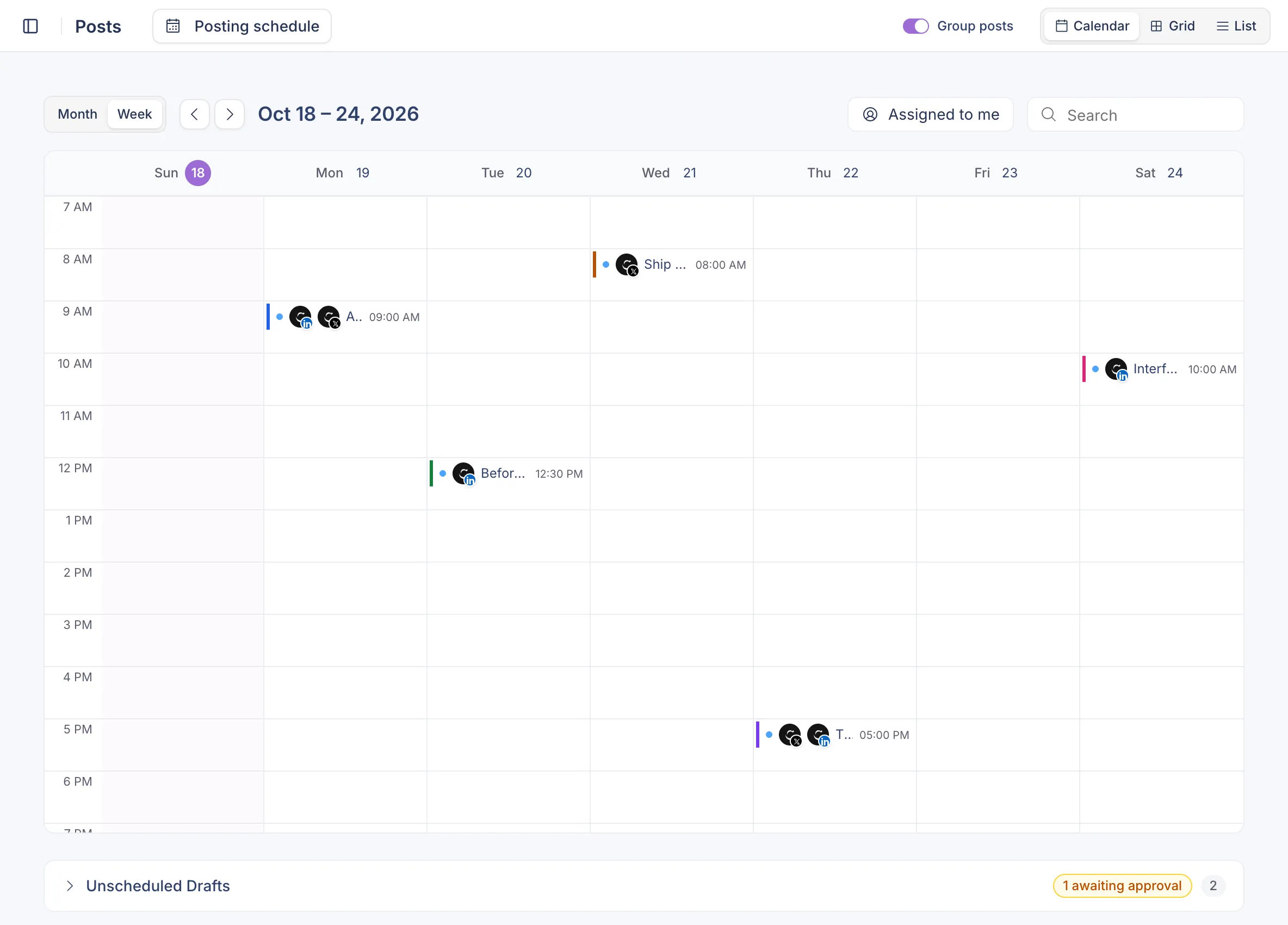
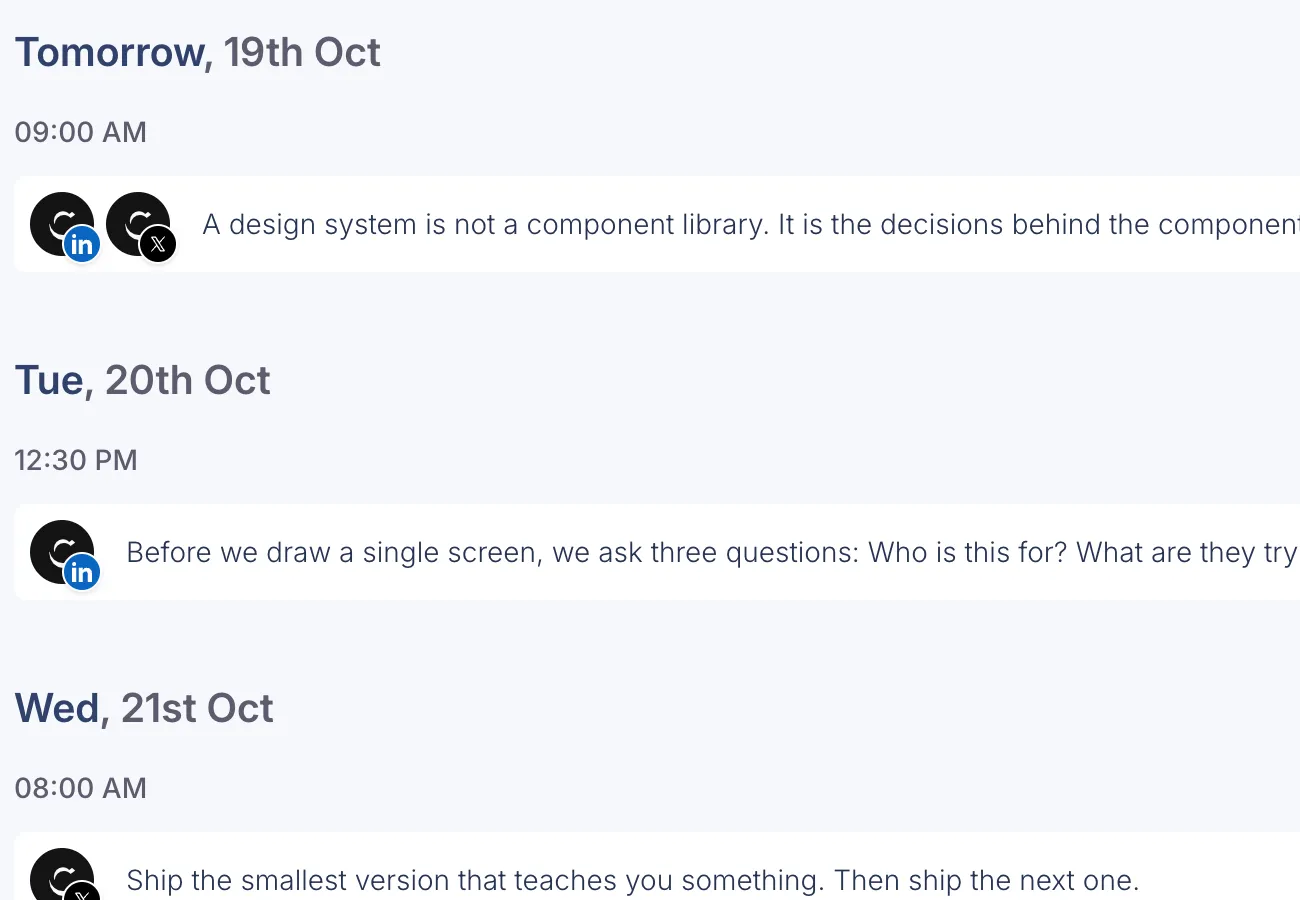
See your posts by month or week, day by day on a phone, or as cards or a list. Filter by status or category, show only the posts assigned to you, and drag a post on the calendar to move it.
Posts show as draft, scheduled, published or failed. If publishing fails, Postopus retries before it marks the post failed, then tells you in the app and by email.
FAQ
LinkedIn personal profiles and X. Posting to LinkedIn company pages is built and waits on LinkedIn approving our app.
Yes. Pick both, keep one text or customise each, and schedule them in one go.
Yes. Set weekly time slots in your workspace's Schedule settings, then use Add to queue on a post to place it in the next free slot.
No. You pick the time, or your posting schedule does. Best-time suggestions are not built.
Your drafts stay. Publishing and scheduling pause until you choose a plan.
Free for 7 days, then pick a plan. Every plan has every feature.
7-day trial · No credit card required