X scheduling

Schedule X posts and threads
that fit.

Write a post or a thread, see it as X shows it and schedule it. The counter follows X's rules for links and characters, and long text splits into a thread in one click.

Start free trial

7-day trial · No credit card required

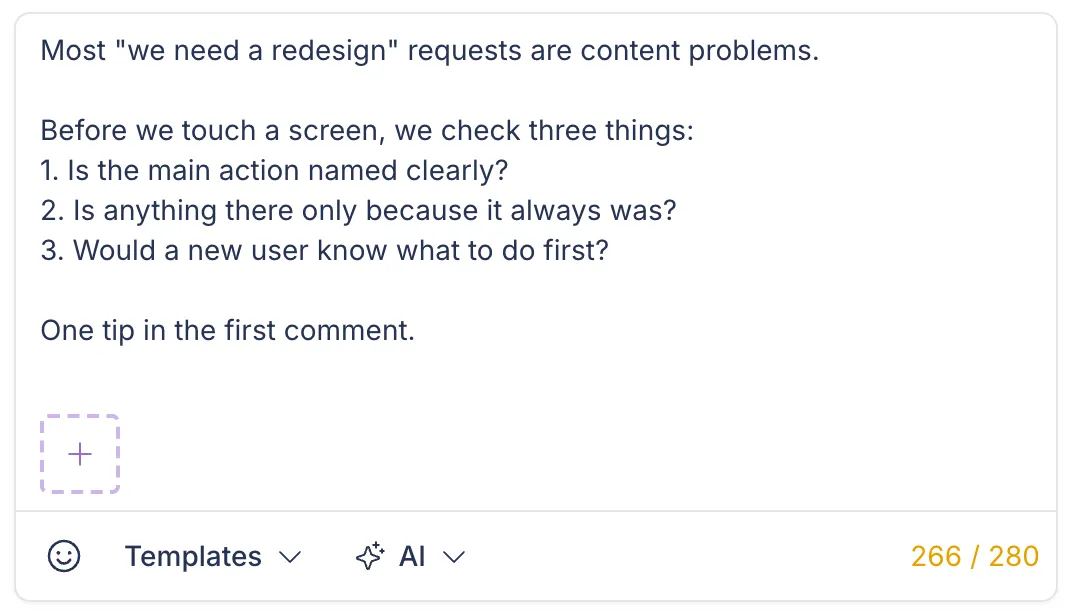
A counter that follows X's rules

Every link counts as 23 characters, and every emoji and every Chinese, Japanese or Korean character counts as 2. Posts can have 280 characters, or 25,000 when your X account has Premium.

  • Links: 23 characters each
  • Emoji: 2 characters each
Post text box in the Postopus editor with Templates and AI menus and an X character counter

25,000Characters per post with X Premium, 280 without

Premium length

The limit follows your connected X account.

Threads

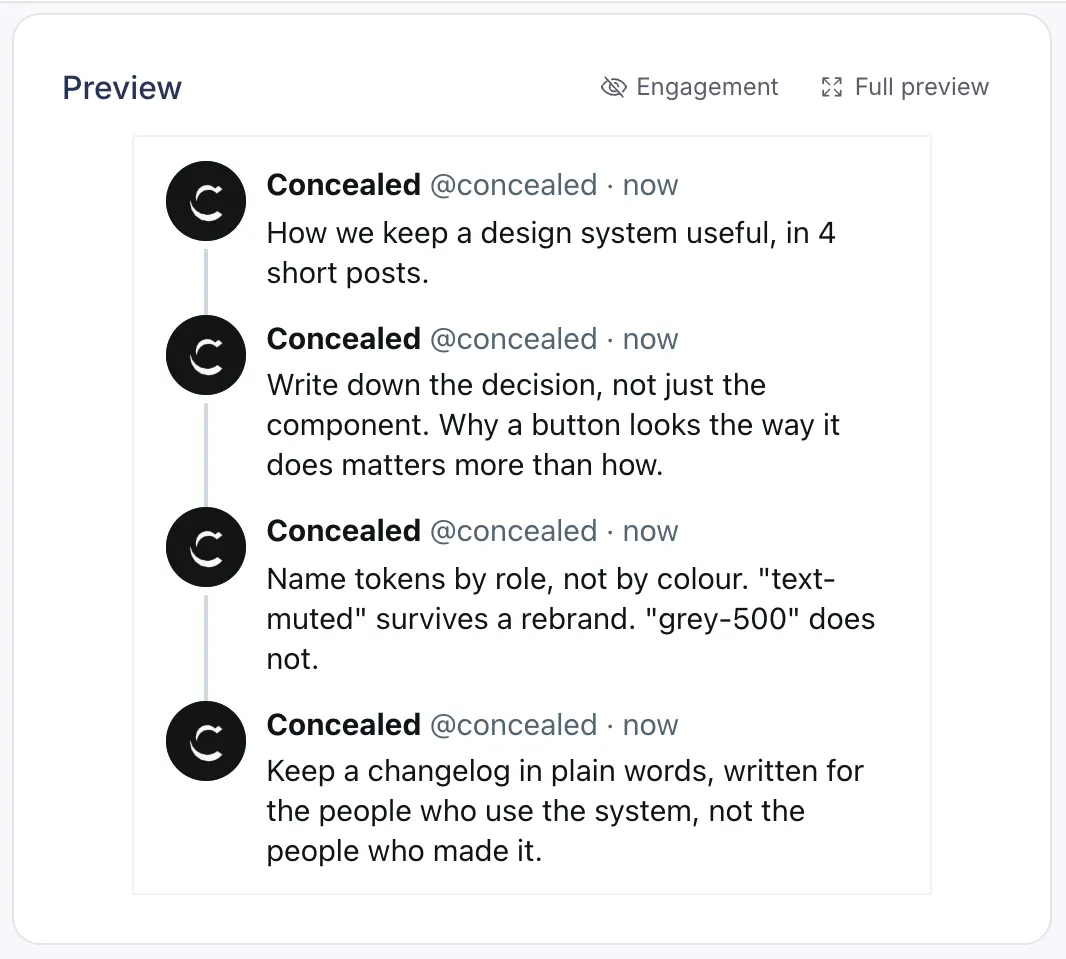
Write a thread post by post with media on each, or write it as one text and split it into a thread in one click. Preview the whole thread before you schedule it.

  • Split into a thread
  • Up to 4 images per post in the thread
X preview in Postopus showing a thread of four posts

Metrics on each post

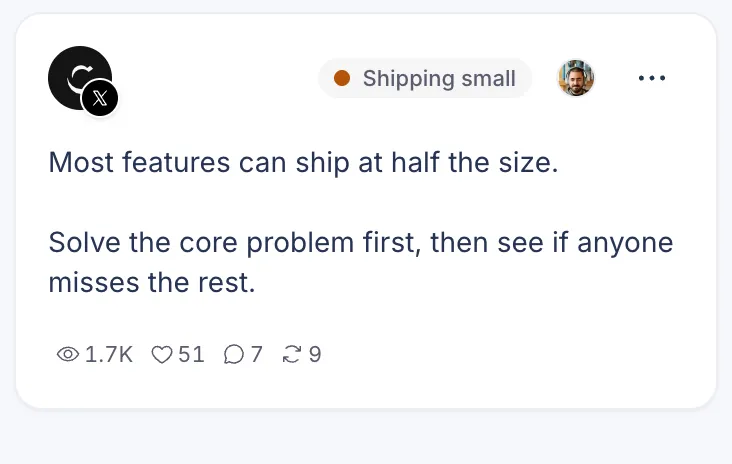
For posts you publish through Postopus, impressions, likes, replies, reposts, quotes and bookmarks are collected while the post is recent and shown on the post.

  • Collected automatically
  • Numbers over time
A published X post in Postopus with its views, likes, replies and reposts

A posting queue for X

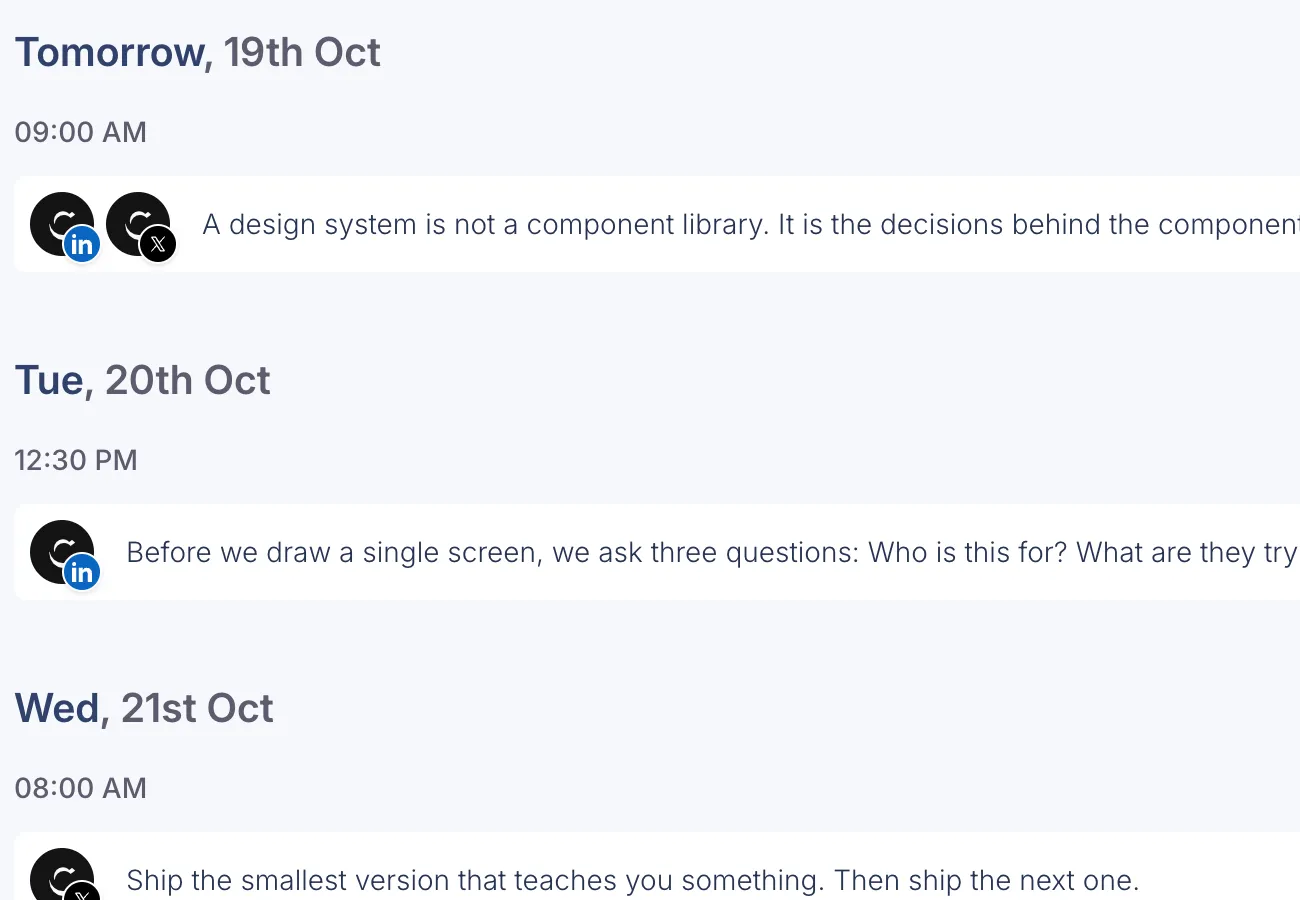
Set weekly posting times once, then Add to queue puts each new post in the next free slot.

  • Weekly time slots per platform
  • Next free slot in one click
Scheduled posts in Postopus grouped by day and time, each with its LinkedIn and X accounts

First reply and auto-repost

Write a first reply with the post, for a link or a follow-up, and Postopus posts it right after the post goes live. You can also repost it after a delay you choose.

How to schedule a post on X

Three steps, one editor

From a blank draft to a post or thread on X at the time you pick.

  1. Connect your X account

    Sign in with X once. You can connect more than one X account and disconnect any of them at any time.

  2. Write it and check the preview

    Write it yourself or start from a Tako draft in your voice. The preview and counter follow X's rules; split long text into a thread in one click.

  3. Pick a time or add it to the queue

    Schedule a date and time in your timezone, or Add to queue to fill the next free slot of your weekly posting schedule.

FAQ

Common questions

How does the counter count?

Each link counts as 23 characters. Every emoji counts as 2, including combined ones like a family, flags and skin tones, and so do Chinese, Japanese and Korean characters. Letters in most alphabets and everyday punctuation count as 1. These are X's own counting rules.

Can I schedule threads?

Yes. Write or split the thread, preview it, and schedule it. It publishes as a connected thread at the time you set.

Do longer posts work with X Premium?

Yes. When your connected X account has Premium, the limit is 25,000 characters per post.

Can I connect more than one X account?

Yes. You can connect several X accounts to a workspace.

Can I post the same thing to LinkedIn?

Yes. Pick X and LinkedIn, keep one text or write a version for each, and schedule both in one go.

Where do I see my scheduled posts?

In Postopus, on the calendar (month or week view) and in the Scheduled tab of your posts. Drag a post on the calendar to move it to another day.

Write your next post with Tako

Free for 7 days, then pick a plan. Every plan has every feature.

7-day trial · No credit card required