
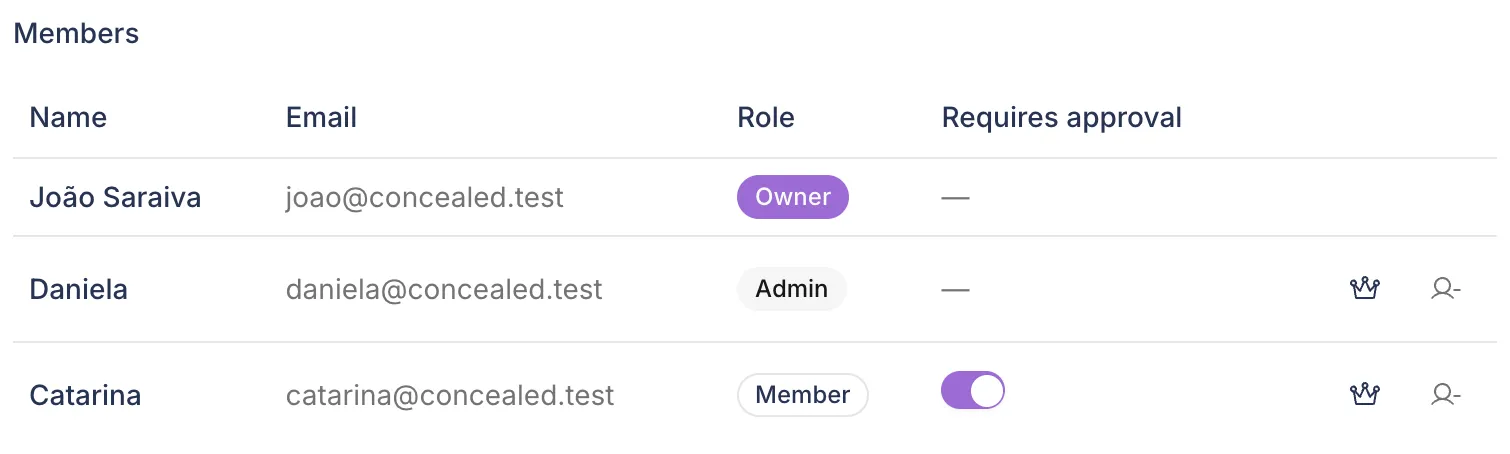
Per member
Decide whose posts need review
Approval is off unless an owner or admin turns it on for a member. Owners and admins publish directly.
- A Requires approval switch per member
- Nothing awaiting approval can publish
Teams
Invite people to a workspace, decide whose posts need review, and keep the conversation on the draft. Teammates can write in your voice only if you allow it.
7-day trial · No credit card required
Roles
Invite people by email. Owners and admins review; members write. You can also invite people as viewers.
Reviews and owns the workspace
Approves posts or asks for changes, invites people, sets roles and can hand ownership to someone else.
Reviews and manages people
Approves posts or asks for changes, invites people, sets roles and decides whose posts need approval.
Writes posts
Writes, schedules and publishes posts. An owner or admin can require approval for a member, so their posts go to review first.
Approval can be required
Approval workflow
When approval is on for a member, every post they write takes this path. The pictures are the real screens.
1Draft
The editor, previews and Tako work as usual. When the post is ready, the member submits it for approval.
2In review
Owners and admins are notified in the app and by email. Until the post is approved, it cannot be published.
3Comments
Comments stay inside the draft and are never published. People in the thread are notified in the app.
4Decision
An owner or admin approves the post or asks for changes, and the writer is notified in the app and by email.

5Scheduled
An approved post can be scheduled or published. If the writer edits it afterwards, it goes back to review.
Request changes sends the post back to the writer, who edits it and submits it again. A writer can also withdraw a request.
Per member
Approval is off unless an owner or admin turns it on for a member. Owners and admins publish directly.
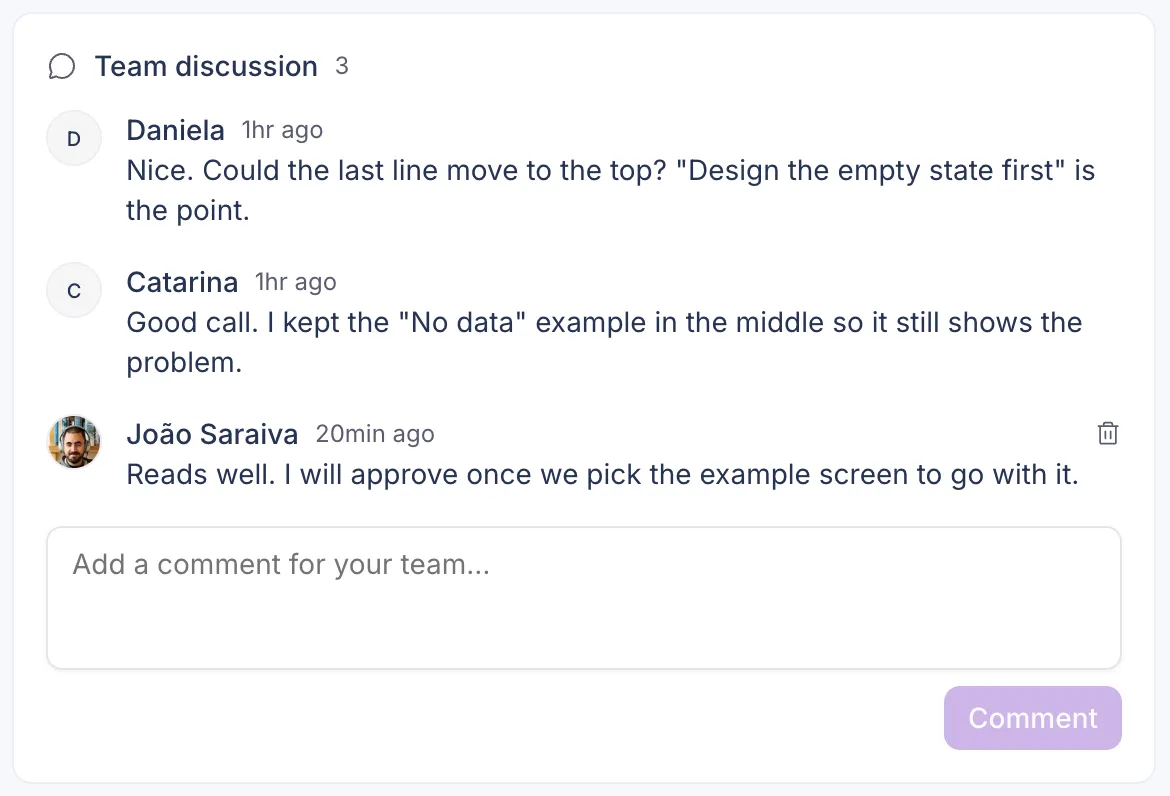
Comments
Comments sit under the draft, where the writer and the reviewers can see them. They stay inside the workspace and are never published.
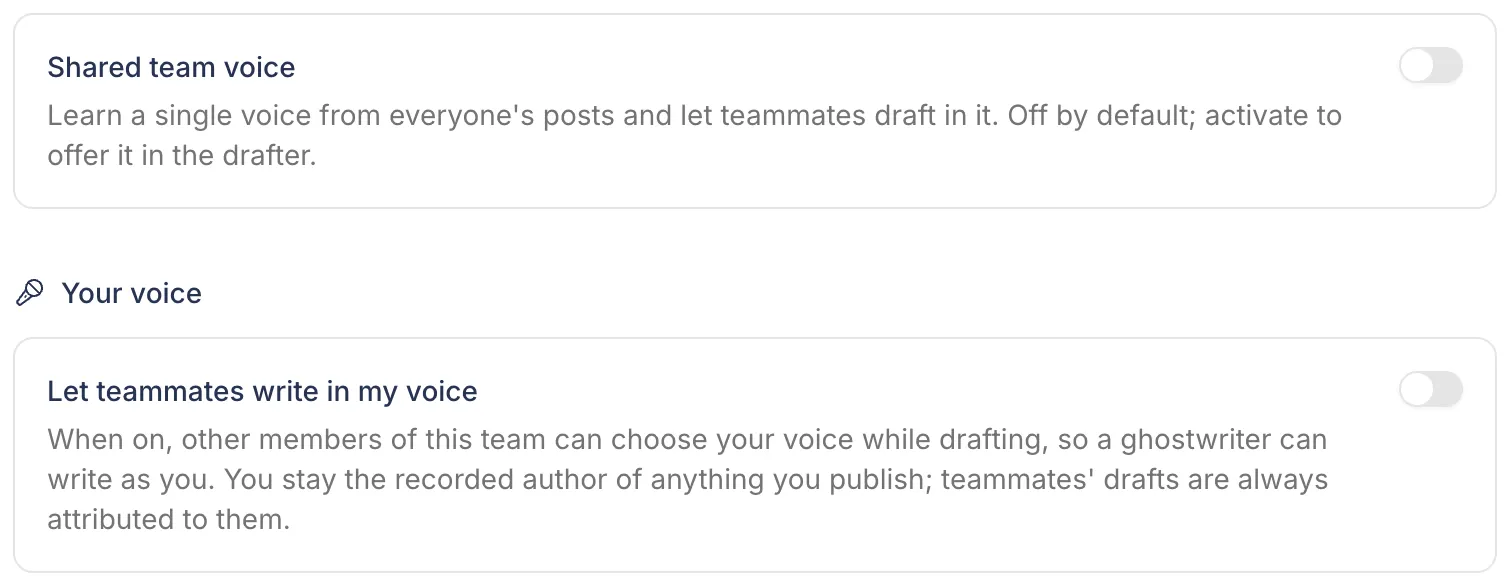
Consent
Each person decides whether teammates may write in their voice. When they allow it, you can pick their voice in the editor. Owners and admins can also turn on a shared team voice, learned from everyone's posts.
Each workspace has its own connected accounts, posts and Brain. Create one per brand or client and switch between them from one menu.
4Roles in every workspace
Owner, admin, member and viewer. Owners and admins approve.
Assign a draft to a teammate and discuss it in comments inside the draft. Comments stay internal.
Approvals reach people in the app and by email, and comments on drafts in the app. A workspace webhook can send events, such as a post published or failed, to a URL you choose.
Send a read-only link to a post so a client or colleague can see it before it publishes, without an account.
FAQ
Owners and admins of the workspace.
Yes, if you invite them to the workspace as an admin. Members and viewers cannot approve.
No. Approval is off unless an owner or admin turns it on for a member.
Yes. Create a workspace for each brand and switch between them. Each one has its own accounts, posts and Brain. Inkling and Kraken cover one workspace; Deep Diver covers as many as you need.
Free for 7 days, then pick a plan. Every plan has every feature.
7-day trial · No credit card required