Mastodon scheduling

Schedule Mastodon Posts
That Fit Your Server.

Connect the account on your own Mastodon server, write a post or a thread and pick a time. The counter uses your server's character limit, and Postopus posts your first comment as a reply right after the post.

Start free trial

7-day trial · No credit card required

A Counter That Uses Your Server's Limit

Each Mastodon server sets its own character limit. The counter uses the limit of the server your account is on, and counts every link as 23 characters, as Mastodon does.

  • Your server's own limit
  • Links: 23 characters each

500Characters on a default Mastodon server

The Default Limit

Mastodon's posting guide sets 500 characters as the default for a post.

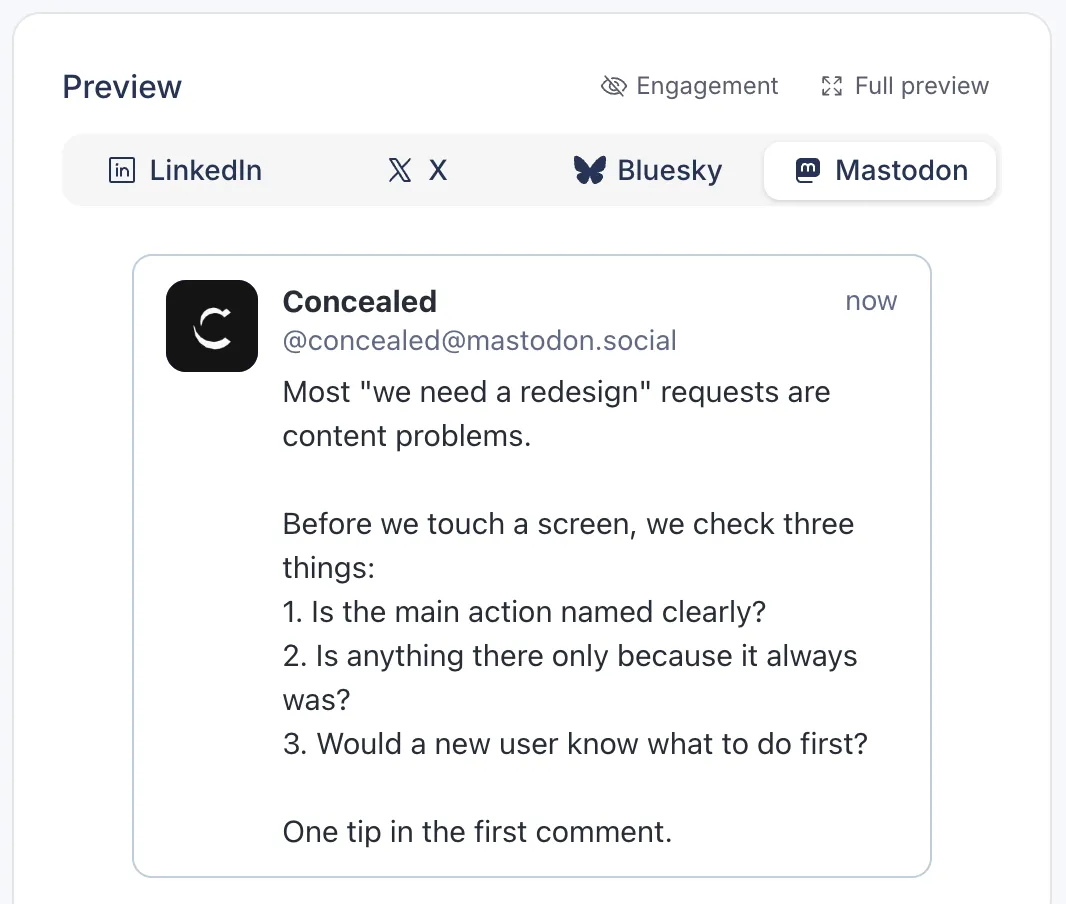
A Live Mastodon Preview

The preview updates as you type and shows your post with its images, the rest of the thread and your first comment as a reply underneath.

Mastodon preview in Postopus with LinkedIn, X, Bluesky and Mastodon tabs, showing the post as Mastodon lays it out

Threads and a First Comment

Write a thread post by post, and a first comment for a link or extra context. Postopus publishes both as replies, right after the first post.

4Images per post

Images With Alt Text

Add up to 4 still images to a post and write alt text for each one.

Schedule It or Add It to the Queue

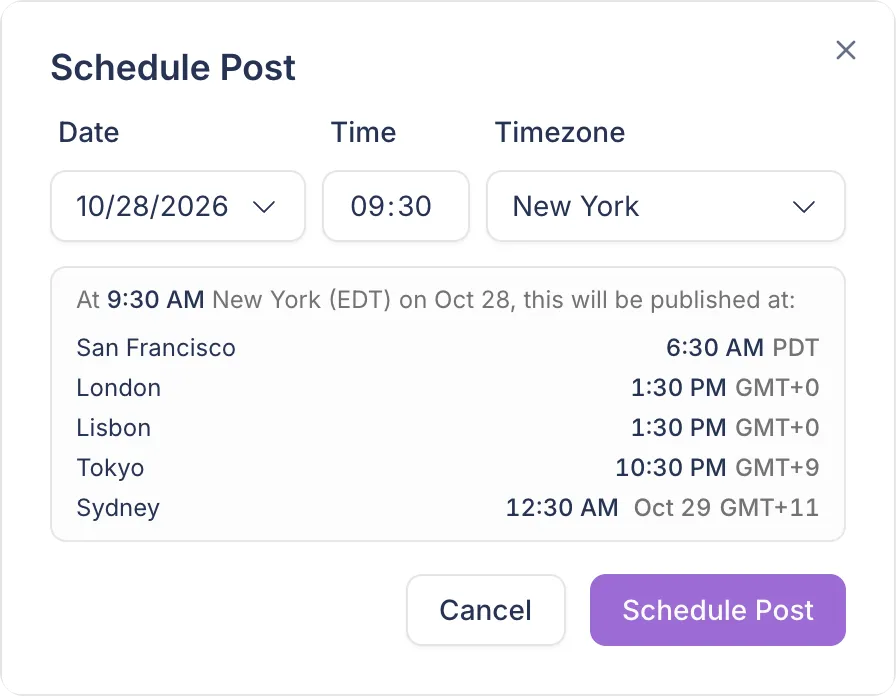
Pick a date, a time and a timezone, and see when the post goes out in other cities. Or set weekly posting times once, and Add to queue puts the post in the next free slot.

  • Month and week calendar
  • Drag a post to reschedule
Postopus Schedule Post dialog with date, time and timezone, and the publish time in other cities

Your Writing Rules on Every Draft

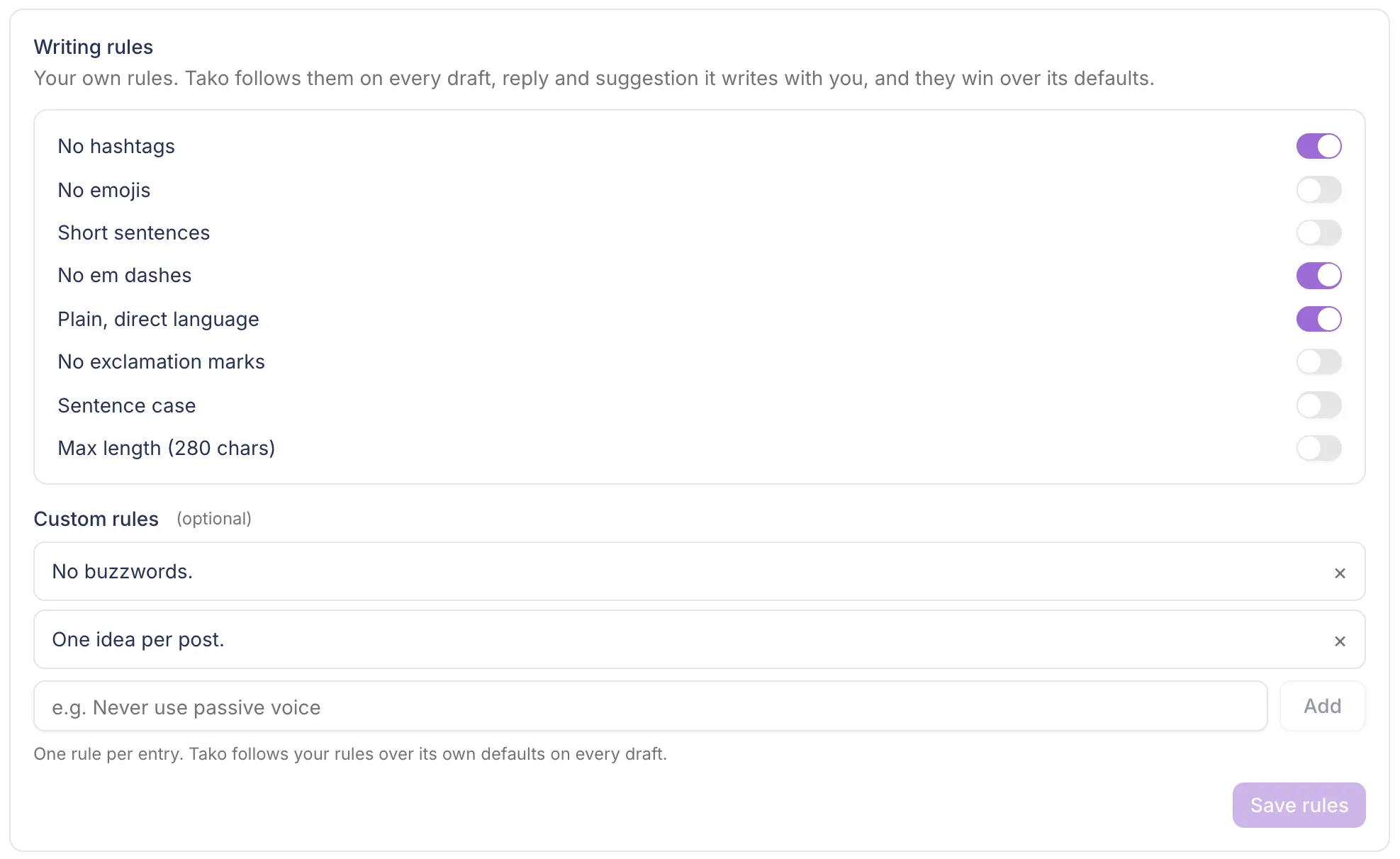
Tako drafts in your voice and follows your own writing rules, such as no hashtags or short sentences. Every suggestion lands in the editor for you to change.

Writing rules card in the Postopus Brain: preset rules with toggles and custom rules

How to schedule a Mastodon post

Three Steps, One Editor

From a blank draft to a post or thread on your Mastodon server at the time you pick.

  1. Connect Your Mastodon Account

    Type the server you sign in at, such as mastodon.social, or your full handle. You sign in on your own server and approve Postopus there.

  2. Write It and Check the Preview

    Write it yourself or start from a Tako draft in your voice. The counter uses your server's limit, and the preview shows the images, the thread and the first comment.

  3. Pick a Time or Add It to the Queue

    Schedule a date and time in your timezone, or Add to queue to fill the next free slot of your weekly posting schedule.

FAQ

Common Questions

Can you schedule posts in Mastodon itself?

Only through apps. Mastodon's API holds a post until a set time at least 5 minutes ahead, according to Mastodon's documentation, and its source code allows up to 300 waiting posts per account and 25 for one day (checked on October 27, 2026, version 4.7.3). The web interface that ships with Mastodon has no scheduling option. In Postopus you pick a date and time in the editor, and Postopus publishes the post then.

How long can a Mastodon post be?

500 characters on a default server, according to Mastodon's posting guide (checked on October 27, 2026), and each server can set its own limit. Mastodon counts every link as 23 characters. The Postopus counter uses your server's limit and counts links the same way.

Can I add images and alt text?

Yes. Add up to 4 still images to a post (JPEG, PNG or WebP), each with its own alt text. Mastodon's posting guide also allows up to 4 images per post (checked on October 27, 2026).

How do I connect my Mastodon account?

Type the server you sign in at, such as mastodon.social, or your full handle like @you@mastodon.social. You sign in on your own server and approve Postopus there, so Postopus never sees your password. You can connect more than one Mastodon account to a workspace.

Can I delete a post after it is published?

Yes. Delete it in Postopus and keep Also delete from Mastodon ticked, and Postopus deletes it on Mastodon too.

Can I post the same thing to LinkedIn, X or Bluesky?

Yes. Pick your Mastodon account and any LinkedIn, X or Bluesky accounts, keep one text or write a version for each, and schedule them in one go.

Where do I see my scheduled posts?

In Postopus, on the calendar (month or week view) and in the Scheduled tab of your posts. Drag a post on the calendar to move it to another day.

Mastodon sources, checked on October 27, 2026: Posting to your profile, scheduled_statuses API methods and Instance in Mastodon's documentation, and Mastodon's source code at version 4.7.3 (scheduled posts, web interface).

Write your next post with Tako

Free for 7 days, then pick a plan. Every plan has every feature.

7-day trial · No credit card required